
Getting started
For convenience, we use the Arduino IDE, but you can use any IDE that supports the ATmega32U4 to upload your code.
- If you dont know the Arduino IDE, check out the Using the Arduino Software from Arduino itself.
- Download the latest stable Arduino IDE for your OS
- Follow the installation Guide if needed
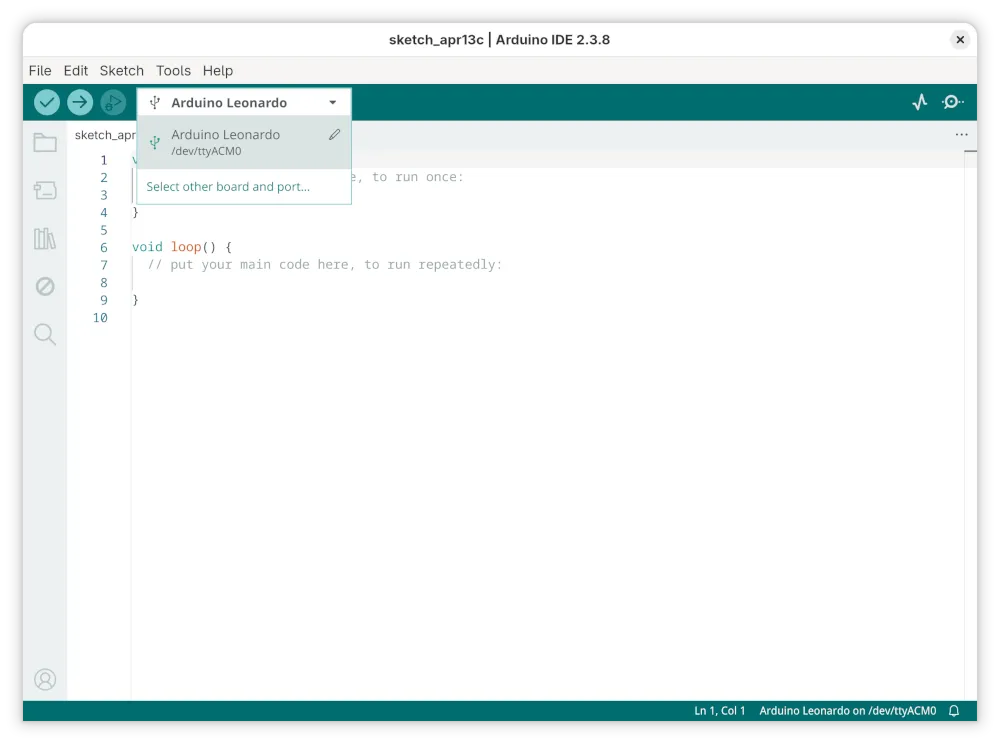
- Open the Arduino IDE
- Plug in the
BYTEBOLT Onein a free USB 2.0 slot - On the top left corner, the IDE should automatically recognize as ATmega32U4 with
Arduino Leonardo. - Select the
Arduino Leonardo(/dev/ttyACM0in our linux example,COMXin Windows) and verify/upload your sketch.
Tips and hacks
Section titled “Tips and hacks”- Start every sketch with a delay (e.g.
delay(5000);) to give the system enough time for execution, enumeration and to make re-flashing sketches easier. - Use
delay();after every Keyboard command to avoid hiccups. - Don’t forget
Keyboard.end();.